Shadow Priest — World of Warcraft
From the depths of the Void, this archive emerges. Here you'll find the tools behind my craft — custom UI layouts, trusted addons, and experiments refined through real encounters.
I haven't made any addons myself, I'm just trying to provide my UI setup to everyone that is interested. Everything can be downloaded by sending me your socks, giving me bathwater, subscribe to my OnlyFans for free!
Forge your path through shadow and flame
Explore the tools, talents, and techniques that define the journey. Whether you seek mastery of the Shadow, a refined interface, or the right addons to sharpen your edge — everything begins here.

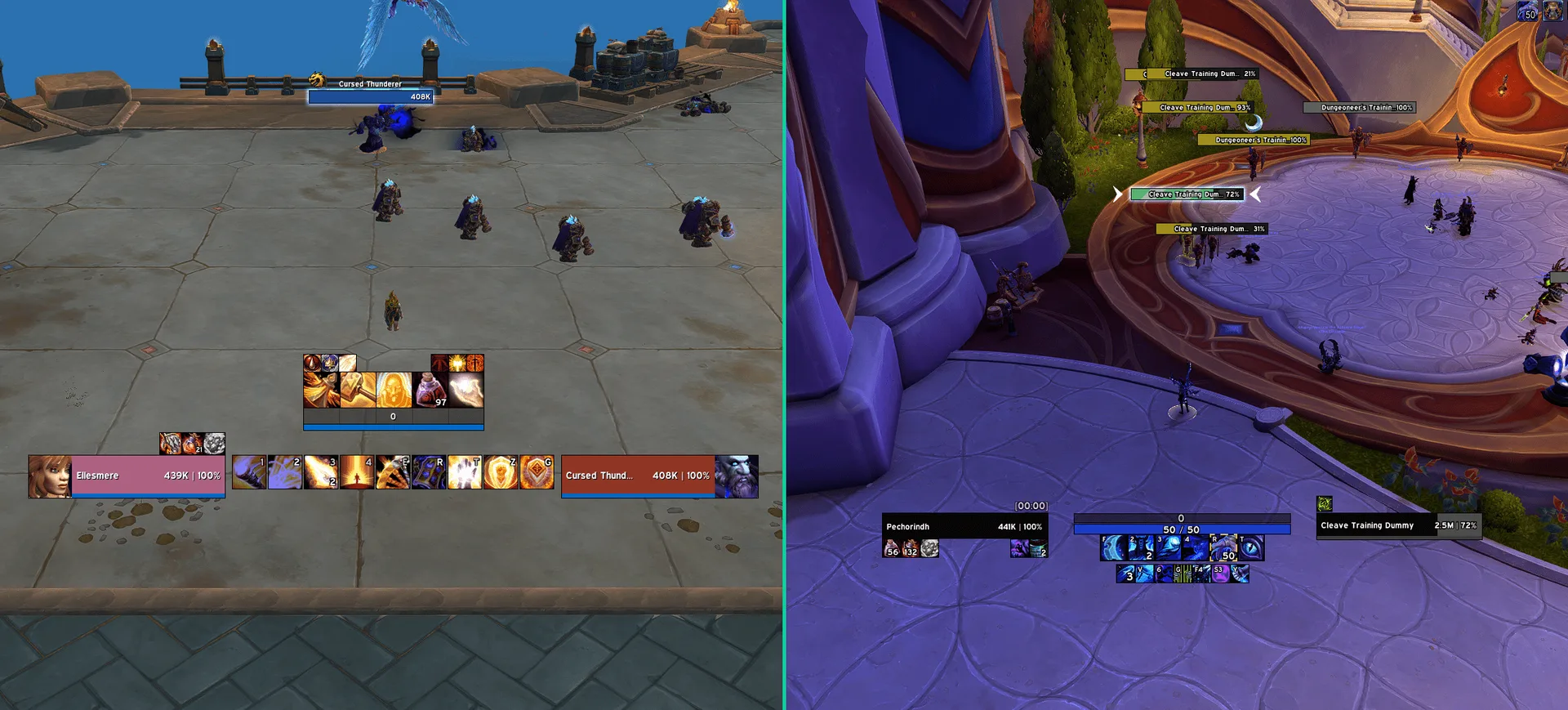
Move, resize, and restyle all 17 action bars independently. Set visibility per spec, stance, or zone.

Apply custom visual themes to action buttons across your addons. Consistent, polished aesthetics — no functionality changes.

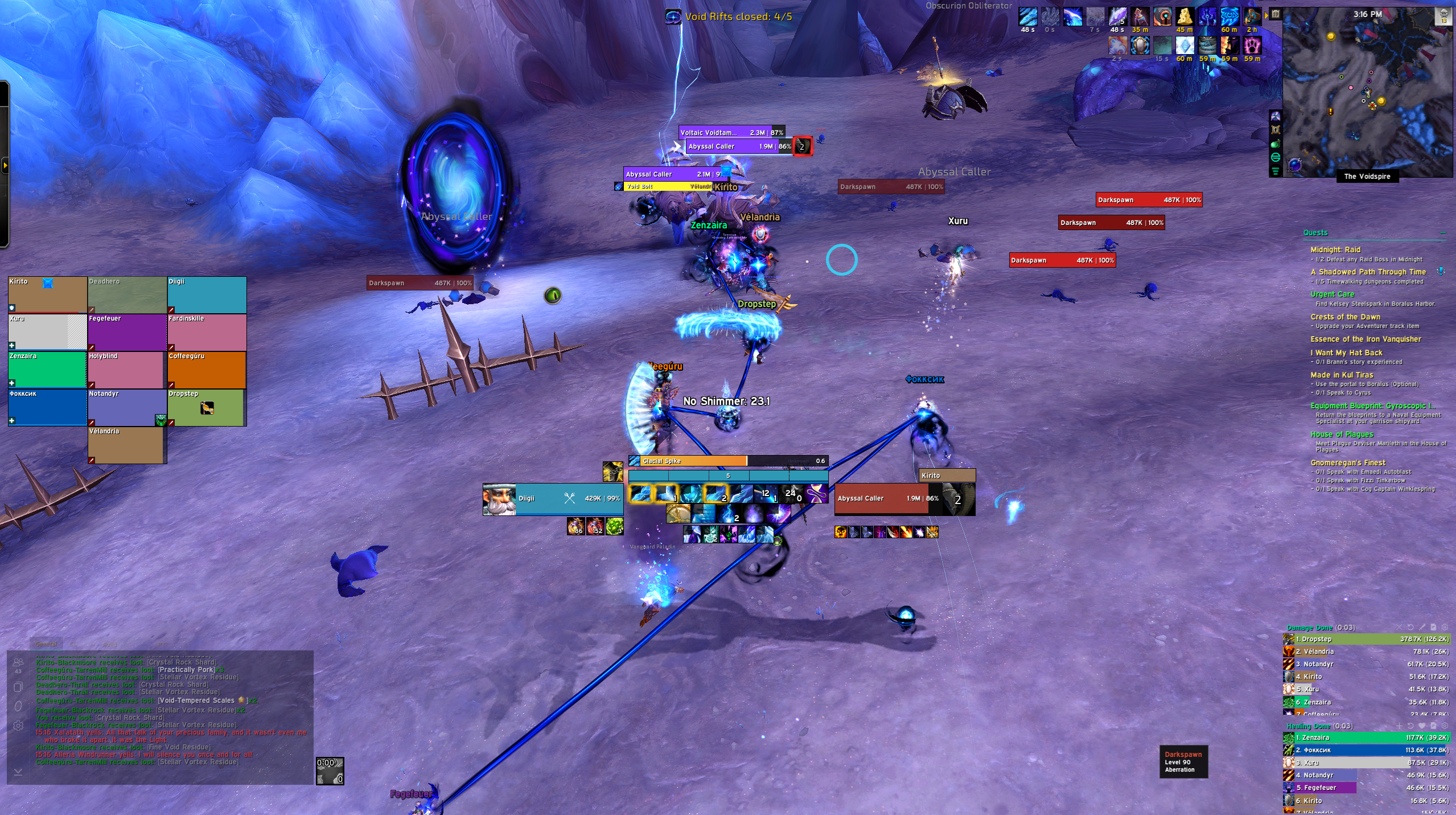
Replaces default player, target, focus, and party frames. Adjustable layouts with improved health and resource visibility.

Replaces default party and raid frames with clean, configurable alternatives. Health, buffs, debuffs, and role indicators all adjustable.

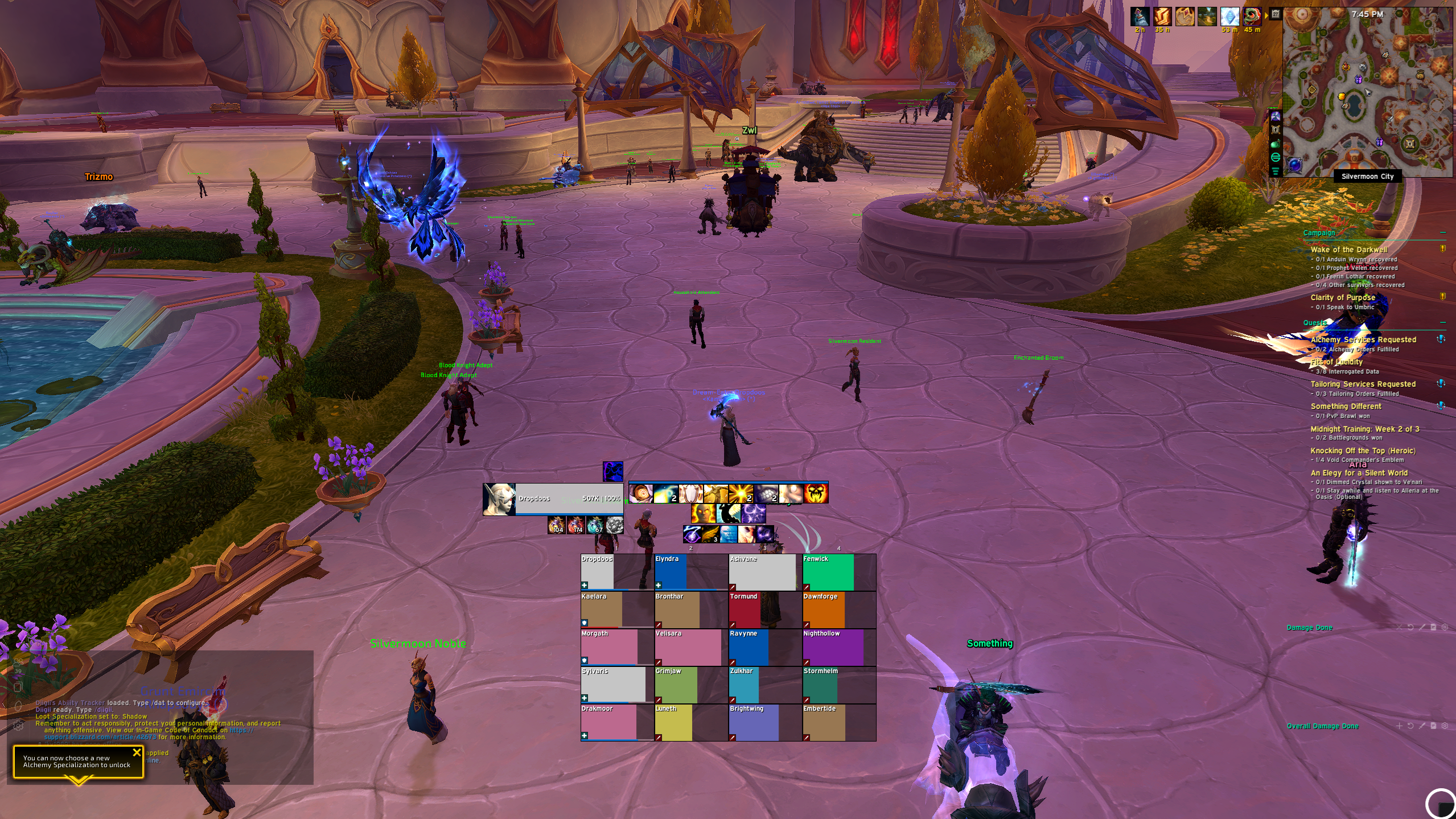
Strips the minimap down to essential elements only. Clean circular display, no clutter, no unnecessary buttons.

Collects all addon minimap icons into one expandable bag. One click to expand — keeps your minimap clean and uncluttered.

Group and track your cooldowns in configurable panels. Separate offensive, defensive, and utility spells at a glance.

Merges all bags into one unified window. Auto-categorizes gear, consumables, and trade goods. Fully searchable.

Filters, styles, and reorganizes your chat frames. Better color-coding, noise suppression and full layout control.

Tracks damage, healing, interrupts, deaths, and threat in real time. Sortable windows and full encounter breakdowns.

Redesigns NPC conversations into a full-screen cinematic experience. Navigate quests entirely by keyboard — no mouse required.

Essential timers and warnings for dungeon and raid mechanics. Minimal setup, no bloat — just the alerts you need.

Move, resize, and restyle all 17 action bars independently. Set visibility per spec, stance, or zone.

Apply custom visual themes to action buttons across your addons. Consistent, polished aesthetics — no functionality changes.

Replaces default player, target, focus, and party frames. Adjustable layouts with improved health and resource visibility.

Replaces default party and raid frames with clean, configurable alternatives. Health, buffs, debuffs, and role indicators all adjustable.

Strips the minimap down to essential elements only. Clean circular display, no clutter, no unnecessary buttons.

Collects all addon minimap icons into one expandable bag. One click to expand — keeps your minimap clean and uncluttered.

Group and track your cooldowns in configurable panels. Separate offensive, defensive, and utility spells at a glance.

Merges all bags into one unified window. Auto-categorizes gear, consumables, and trade goods. Fully searchable.

Filters, styles, and reorganizes your chat frames. Better color-coding, noise suppression and full layout control.

Tracks damage, healing, interrupts, deaths, and threat in real time. Sortable windows and full encounter breakdowns.

Redesigns NPC conversations into a full-screen cinematic experience. Navigate quests entirely by keyboard — no mouse required.

Essential timers and warnings for dungeon and raid mechanics. Minimal setup, no bloat — just the alerts you need.

Detailed timers and warnings for every dungeon and raid mechanic. Tracks phase transitions and boss abilities proactively.

Replaces default nameplates with highly configurable versions. Customize health bars, colors, scaling, and threat indicators.

Tracks time remaining, enemy forces, deaths, and completion % in Mythic+. Clean interface with run pacing insights.

A standalone character pane with transmog sharing, photo mode, and achievement panel. Maxes video settings for perfect screenshots.

Item level, gems, enchants on gear icons. Expanded tooltips. Auto-vendor and auto-repair. Dozens of individually toggleable improvements.

Works silently in the background to reduce SavedVariables bloat and prevent data corruption over time.

Alerts you instantly to nearby rare spawns, treasures, and world events. Configurable sound and visual cues — never miss one again.

Adds radial ring menus to any keybind. Group spells, items, and macros into rings for instant single-button access.

Redesigns the waypoint and navigation system with a cleaner, smarter interface. More reliable than the default.

Adds coordinate-based waypoints and a directional arrow. Shows distance and direction to any target in real time.

Automates gliding when jumping from heights. Reduces manual input during aerial movement for a smoother travel experience.

Detailed timers and warnings for every dungeon and raid mechanic. Tracks phase transitions and boss abilities proactively.

Replaces default nameplates with highly configurable versions. Customize health bars, colors, scaling, and threat indicators.

Tracks time remaining, enemy forces, deaths, and completion % in Mythic+. Clean interface with run pacing insights.

A standalone character pane with transmog sharing, photo mode, and achievement panel. Maxes video settings for perfect screenshots.

Item level, gems, enchants on gear icons. Expanded tooltips. Auto-vendor and auto-repair. Dozens of individually toggleable improvements.

Works silently in the background to reduce SavedVariables bloat and prevent data corruption over time.

Alerts you instantly to nearby rare spawns, treasures, and world events. Configurable sound and visual cues — never miss one again.

Adds radial ring menus to any keybind. Group spells, items, and macros into rings for instant single-button access.

Redesigns the waypoint and navigation system with a cleaner, smarter interface. More reliable than the default.

Adds coordinate-based waypoints and a directional arrow. Shows distance and direction to any target in real time.

Automates gliding when jumping from heights. Reduces manual input during aerial movement for a smoother travel experience.
A window into the Void — Hover over UI elements to explore

Wield the DiigiiUI addon to summon your entire UI in a single command — every profile, every layout, all at once
Install WoWUP with CurseForge integration
Not sure which to pick? Check your Windows display settings for your monitor's native resolution — 1920×1080 → 1080P · 2560×1440 → 1440P
Open World of Warcraft and type /diigii in chat to launch the addon. You'll first pick your resolution, then get a screen to grab the Edit Mode profile in case you skipped it earlier. After that you land on the main import screen — pick your path below.
Choose 1080P (1920×1080) or 1440P (2560×1440) to match your monitor's native resolution.
Missed the Edit Mode copy on the website? A button is provided here to grab it. Hit Next to continue when you're ready.
Picked the wrong resolution? Go back and switch before importing.
One-click import of every addon profile at once. Instantly replicates the complete DiigiiUI setup.
Step-by-step guided import. Pick which addon profiles to install one by one at your own pace.
Not all addons support an export string. For those who prefer to import individual addon strings or customize settings by hand, copy the strings below and paste them into each addon's import dialog.
Didn't copy the Edit Mode string from the website? No worries — pick your resolution below and paste it into WoW's Edit Mode import dialog.
Minimalist unit frames with clear health, resource, and cast tracking — designed for readability in raids and PvP.
Replaces friendly and enemy nameplates with clean layouts, debuff tracking, cast indicators, and threat-aware coloring.
Replaces the look and feel of the default Blizzard Cooldown Manager.
Makes BCM centered for a focused cooldown layout.
No worries about a messy inventory, and item categories right at your fingertips!
For seeing Boss Timers in dungeons and raids.
Changes the Party Frames in a better way.
Many Quality of Life changes!
Makes your damage meter better readable.